

Micronaut AWS Lambda and a Cron Job
Learn how to use a scheduled expression with an EventBridge trigger to execute a Micronaut AWS Lambda every 5 minutes
On this guide
In this section
Getting Started
In this guide, we will create a Micronaut application written in Java.
What you will need
To complete this guide, you will need the following:
-
Some time on your hands
-
A decent text editor or IDE (e.g. IntelliJ IDEA)
-
JDK 21 or greater installed with
JAVA_HOMEconfigured appropriately
Solution
We recommend that you follow the instructions in the next sections and create the application step by step. However, you can go right to the completed example.
-
Download and unzip the source
Writing the App
Create an application using the Micronaut Command Line Interface or with Micronaut Launch.
mn create-function-app example.micronaut.micronautguide \
    --features=aws-lambda-scheduled-event \
    --build=gradle \
--lang=java|
Note
|
If you don’t specify the --build argument, Gradle with the Kotlin DSL is used as the build tool. If you don’t specify the --lang argument, Java is used as the language.If you don’t specify the --test argument, JUnit is used for Java and Kotlin, and Spock is used for Groovy.
|
If you use Micronaut Launch, select serverless function as the application type and add the aws-lambda-scheduled-event feature.
The previous command creates a Micronaut application with the default package example.micronaut in a directory named micronautguide.
Handler
Micronaut Launch/Micronaut CLI generates the following handler when you select the feature aws-lambda-scheduled-event.
The handler receives an EventBridge (CloudWatch Events) notification event. Add a log statement.
imports
package example.micronaut;
import io.micronaut.function.aws.MicronautRequestHandler;
import com.amazonaws.services.lambda.runtime.events.ScheduledEvent;
import org.slf4j.Logger;
import org.slf4j.LoggerFactory;
public class FunctionRequestHandler extends MicronautRequestHandler<ScheduledEvent, Void> {
private static final Logger LOG = LoggerFactory.getLogger(FunctionRequestHandler.class);
@Override
public Void execute(ScheduledEvent input) {
LOG.info("input: {}", input);
return null;
}
}Logback
Replace src/main/resources/logback.xml with the following content to get a more verbose output:
<configuration>
    <appender name="STDOUT" class="ch.qos.logback.core.ConsoleAppender">
        <encoder>
            <pattern>%d{yyyy-MM-dd HH:mm:ss} %X{AWSRequestId} %X{AWSFunctionName} %X{AWSFunctionVersion} %X{AWSFunctionArn} %X{AWSFunctionMemoryLimit}  %X{AWSFunctionRemainingTime} %X{AWS-XRAY-TRACE-ID} %-5p %c{1} - %m%n</pattern>
        </encoder>
    </appender>
    <root level="info">
        <appender-ref ref="STDOUT" />
    </root>
</configuration>
Lambda
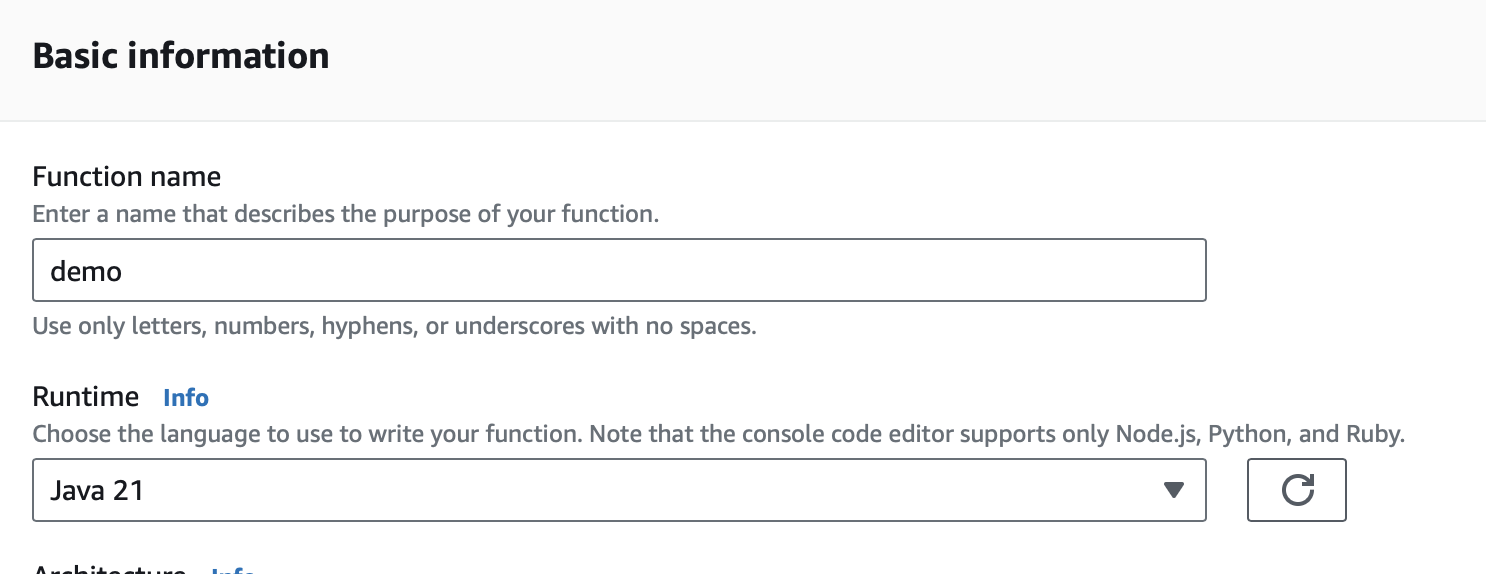
Create a Lambda Function. As a runtime, select Java 17, Java 21, or Java 25.
Triggers
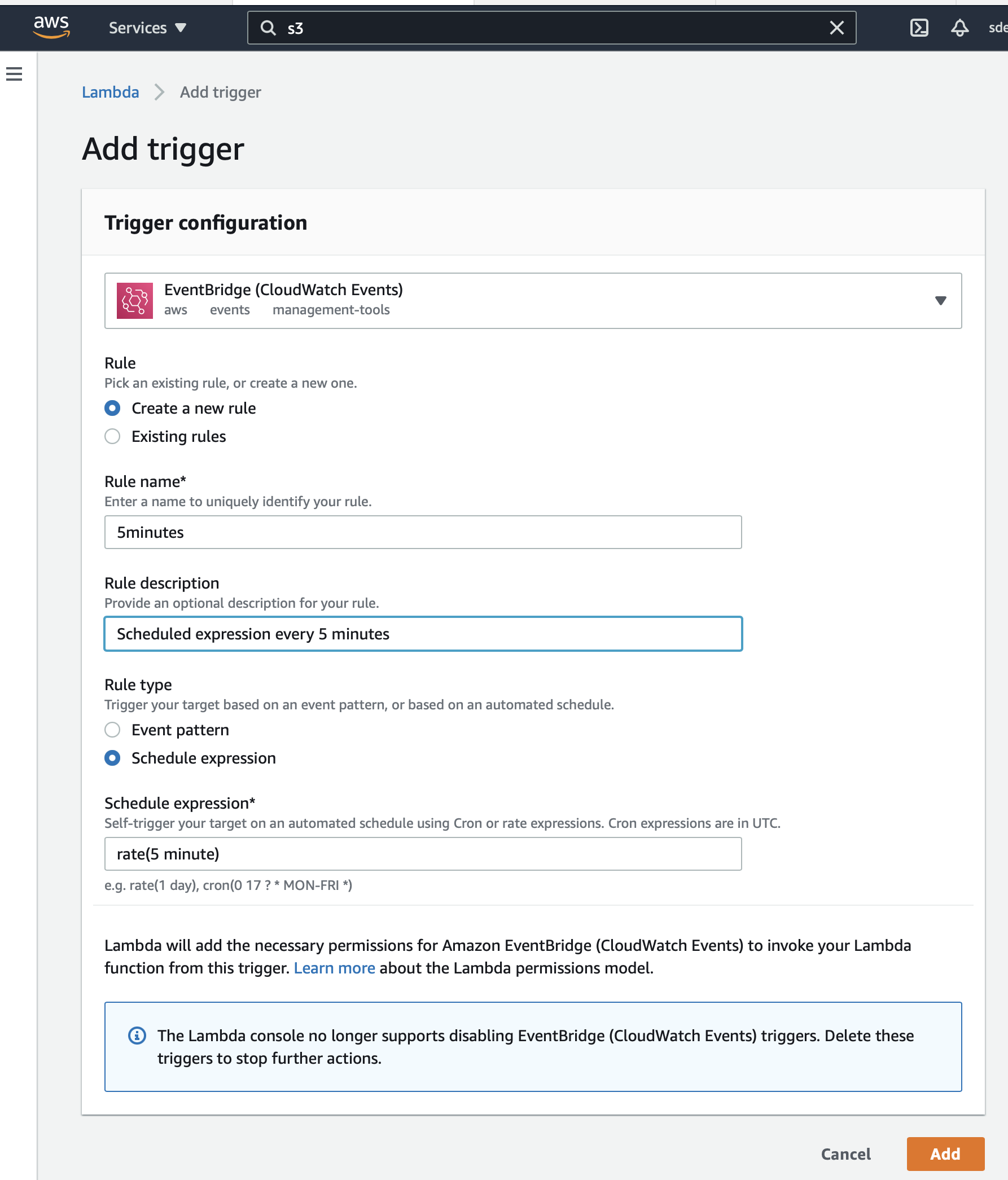
Create a trigger that fires every 5 minutes:
Upload Code
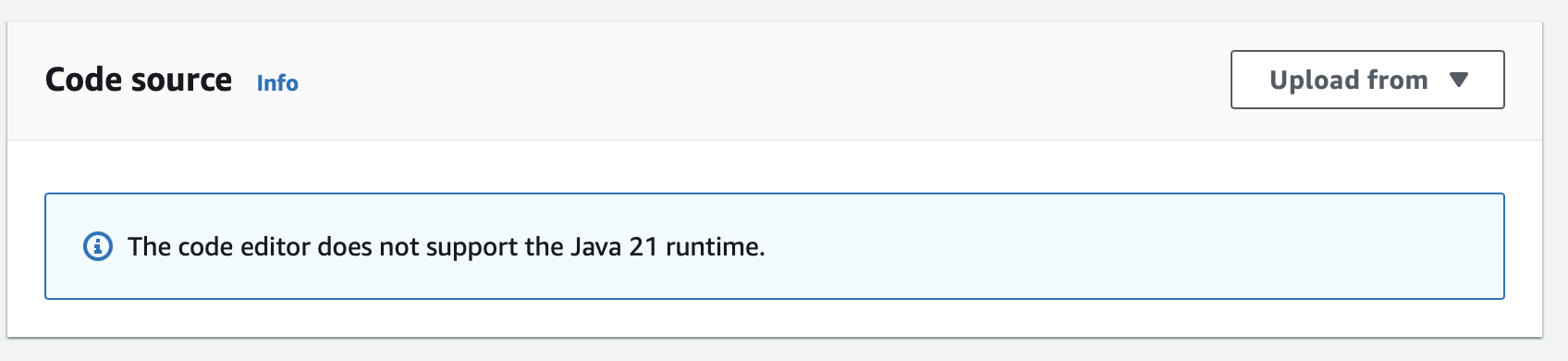
Create an executable jar including all dependencies:
./gradlew shadowJarUpload it:
Handler
In the AWS console, as Handler, set:
example.micronaut.FunctionHandler
Test
After you upload the code, wait for 5 minutes and you should see CloudWatch log output such as:
TRACE c.s.e.f.d.Handler - {version=0, id=ed9bd6b2-0429-9b03-742b-fe294946f272, detail-type=Scheduled Event, source=aws.events, account=1234567899, time=2021-05-19T09:03:02Z, region=us-east-1, resources=[arn:aws:events:us-east-1:1234567899:rule/5minutes], detail={}}
2021-05-19 09:03:31 b4e05b4e-ae9f-4844-b7fb-5e70016b41fd eurorates-daily-java11 $LATEST arn:aws:lambda:us-east-1:1234567899:function:micronautguide-java11 512 14990 1-60a4d463-1fa098426b0ff44e24a69bf8 TRACE c.s.e.f.d.Handler - {version=0, id=ed9bd6b2-0429-9b03-742b-fe294946f272, detail-type=Scheduled Event, source=aws.events, account=1234567899, time=2021-05-19T09:03:02Z, region=us-east-1, resources=[arn:aws:events:us-east-1:1234567899:rule/5minutes], detail={}}
Read more about:
License
|
Note
|
All guides are released with an Apache License 2.0 for the code and a Creative Commons Attribution 4.0 license for the writing and media (images). |